SSH: The Secure Backbone of Remote Access in Linux and Modern Infrastructure
SSH from the ground up: how the handshake works, keys versus passwords, real use cases, a step-by-step first connection and security best practices.
 Dhananjay Aggarwal, · 6 min read
In modern computing, remote access is not a luxury. It is a core requirement for developers, DevOps engineers, system administrators and cloud operators. Whether you are managing a home server, connecting to an AWS EC2 instance, deploying a web application or troubleshooting a production system, you rely on one protocol more than any other: SSH.
SSH stands for Secure Shell, a cryptographic network protocol that provides encrypted communication between two systems. It is one of the most widely used security tools in the world and the foundation of secure remote administration.
This article explains SSH from the ground up, with real-world examples, analogies and practical steps you can apply immediately.
What is SSH?#
SSH is a protocol that lets you securely connect to another computer over an unsecured network. It replaces older, unsafe protocols like Telnet and FTP by making sure all communication is encrypted and authenticated.
You can use SSH to:
- Log into remote servers
- Execute commands
- Transfer files
- Manage cloud infrastructure
- Create secure tunnels
- Automate deployments and CI pipelines
SSH comes preinstalled on almost every Linux and macOS system, and can be added to Windows through built-in features or tools like PuTTY.
A Simple Analogy to Understand SSH#
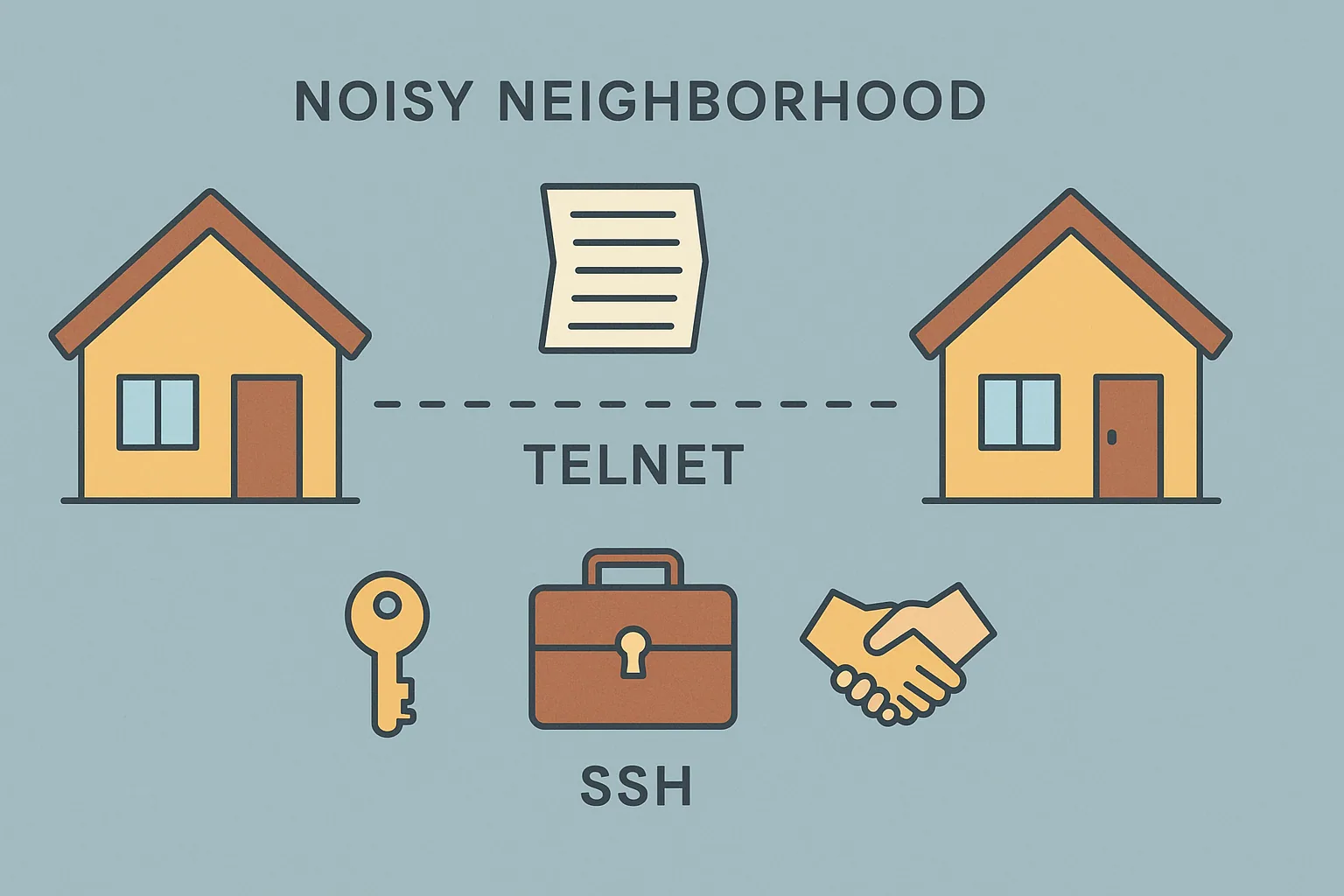
Imagine two houses trying to send secret messages across a noisy neighborhood. Telnet sends messages on plain paper. Anyone walking by can read them.
SSH, on the other hand, uses:
- A locked suitcase
- A unique key that only the sender and receiver have
- A secret handshake to confirm identity
So even if someone intercepts the suitcase, they cannot open it or understand the message.
How SSH Works (Technical Explanation)#
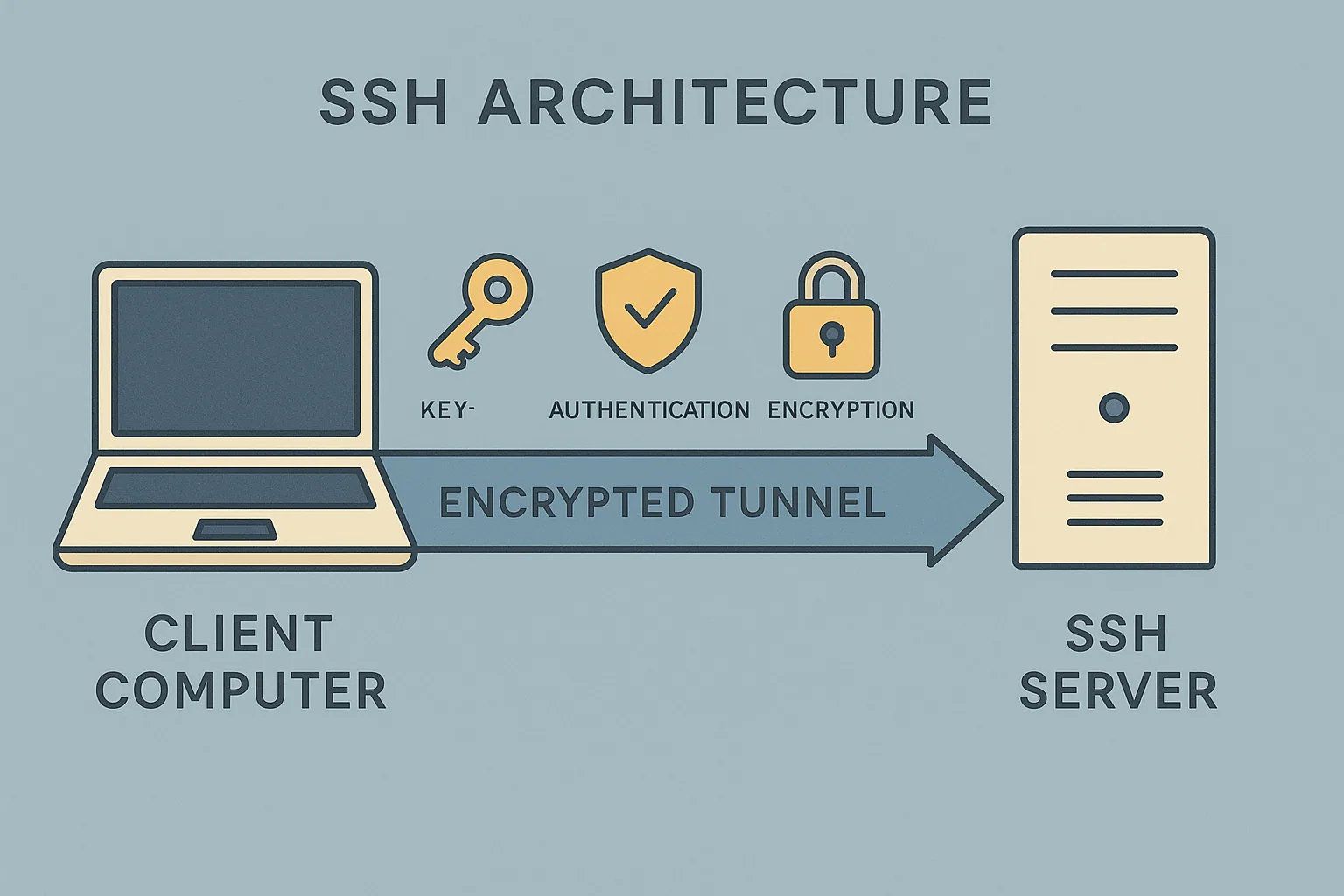
SSH uses a client-server model:
- The remote machine runs an SSH server (sshd).
- Your machine runs an SSH client.
When you start a connection, these steps happen:
- The client connects to the SSH server
- The server sends its public key
- The client verifies its authenticity
- An encrypted channel is created using key exchange
- User authentication happens
- Secure communication begins
Algorithms such as RSA, Ed25519, ECDSA and AES ensure data confidentiality and integrity.
Basic SSH Command#
Example:
If the server requires a key file:
Real Life Use Cases of SSH#
1. Managing cloud servers#
When you launch an EC2 instance on AWS or a VM on DigitalOcean, your very first interaction with it is through SSH.
Example:
2. Deploying applications in DevOps#
Tools like Ansible, Terraform, Fabric, Capistrano and GitHub Actions use SSH under the hood.
Example: Ansible uses SSH to connect to 50 servers and deploy code within seconds.
3. Accessing home or office Linux servers#
You can connect to a Raspberry Pi, a NAS or a personal Linux machine:
4. Secure file transfer#
SSH enables file transfer commands like:
More on the second one in the rsync guide.
5. Tunneling and port forwarding#
SSH creates encrypted tunnels to secure traffic from unsafe networks.
Forward local port 8080 to server port 3000:
The SSH tunneling post covers local, remote and dynamic forwarding in detail.
Understanding SSH Keys#
SSH supports two authentication methods:
1. Password-based authentication#
Simple but less secure.
2. Key-based authentication#
The recommended method.
SSH keys come in pairs:
- The public key is placed on the server.
- The private key stays with you.
Generate a key pair:
Copy the public key to the server:
After this, you can log in without typing a password.
Beginner Friendly Tutorial: How to Connect to a Server#
Step 1: Install SSH (if needed)#
Linux and macOS include SSH by default. Windows users can install OpenSSH from Windows Features.
Step 2: Get the server IP and credentials#
Example:
- IP:
45.76.33.10 - Username:
root - Key file:
vps-key.pem
Step 3: Connect#
Step 4: Verify authenticity#
The server asks you to confirm its fingerprint.
Type yes.
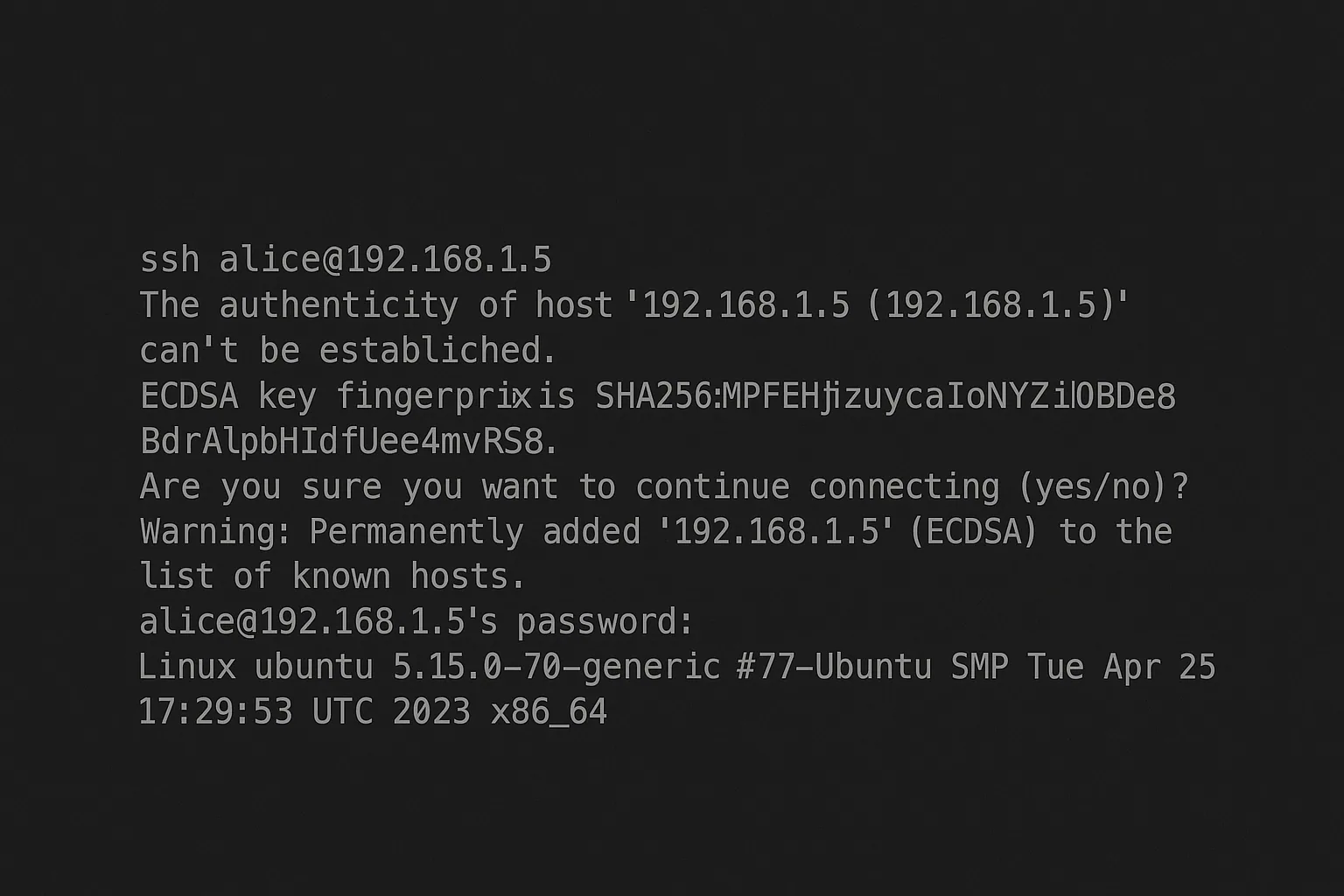
Step 5: You now have a secure shell#
You can run commands like:
Security Best Practices for SSH#
- Use key-based authentication instead of passwords
- Change the default SSH port
- Disable root login
- Enable fail2ban or intrusion detection
- Rotate keys regularly
- Restrict IP access with firewall rules
Conclusion#
SSH is one of the most important tools in computing. It enables secure communication, remote administration, encrypted file transfer, tunneling and automation across countless platforms. From cloud infrastructure and DevOps pipelines to personal Raspberry Pi setups, SSH is the foundation of secure connectivity.
Understanding SSH not only makes you better at Linux and server management but also prepares you for advanced roles in cybersecurity, DevOps and cloud engineering.
Filed under linux, ssh, security

Written by Dhananjay Aggarwal